
Overview:
Your Identity Vault is where Privacy Bee stores the personal information it uses to scan for your exposures. The more complete it is, the more thorough your scans will be - and the better Privacy Bee can find and address your exposed information. This article walks you through what to add and how to add/update it.
Why It Matters
Data brokers often list people under multiple name variations, old addresses, and outdated contact details. Without that information in your vault, those exposures may go undetected. The more accurate and complete your details are, the easier it is for Privacy Bee to match your identity accurately, and the harder it becomes for your information to slip through the cracks.
What to Add
At a minimum, your Identity Vault should include:
- Full name - First, middle name or initial, and last name.
- Date of Birth - Helps Privacy Bee accurately match exposures to you and not someone with a similar name.
- Physical address - Your current address and any previous addresses from the past few years.
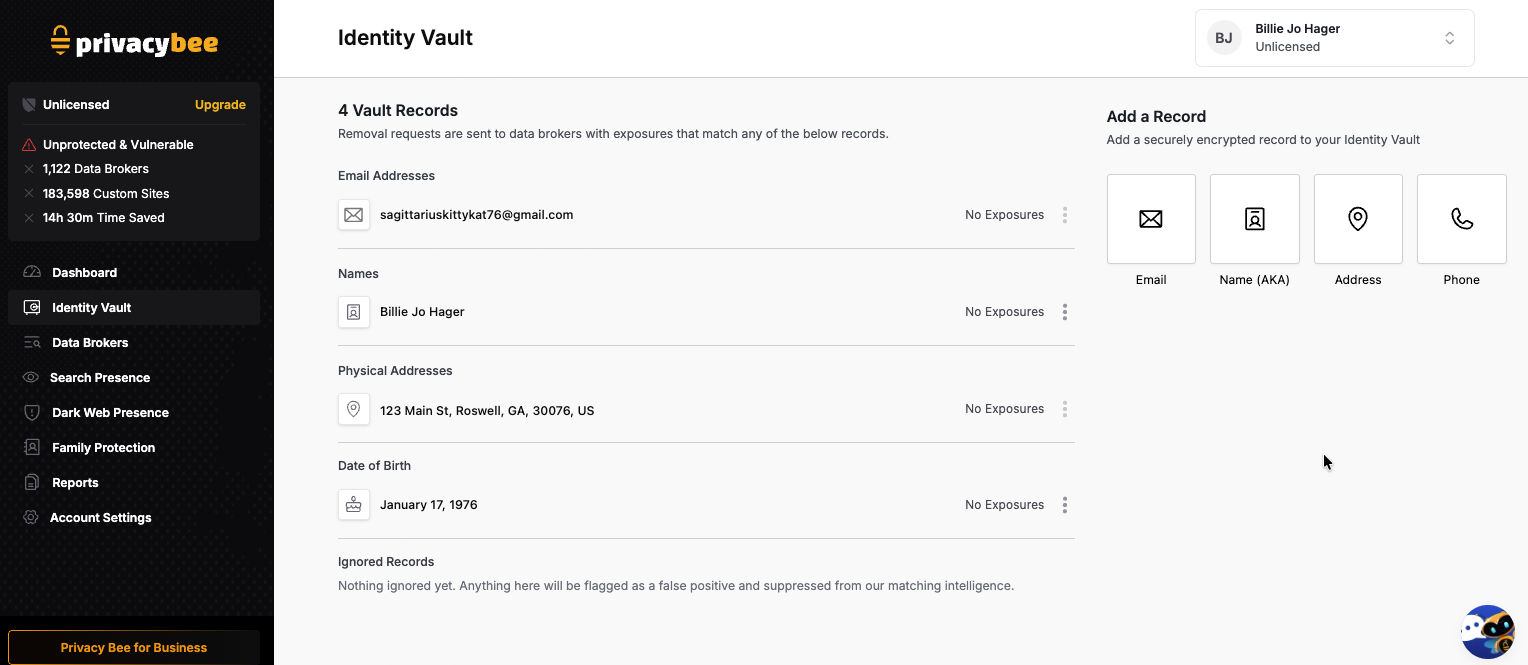
- Active email addresses - Only add email addresses you currently have access to. Privacy Bee sends one-time verification codes to confirm your identity - inactive or old email addresses you no longer have access to cannot be verified and should not be added.
- Phone number - Only add phone numbers that are currently active and in your possession. Carriers often recycle old phone numbers and reassign them to new users - adding an inactive number could result in verification codes being sent to the wrong person.
A note on previous address: Even if you’ve moved, your personal information may still appear online under old locations. Adding prior addresses helps Privacy Bee identify exposures that may not be connected to your current address.
A note on alternate names: If you go by a nickname, maiden name, or any other name variation, add it here. Data brokers often list people under multiple name variations. This helps ensure broader coverage.
How to Add/Update Your Identity Vault
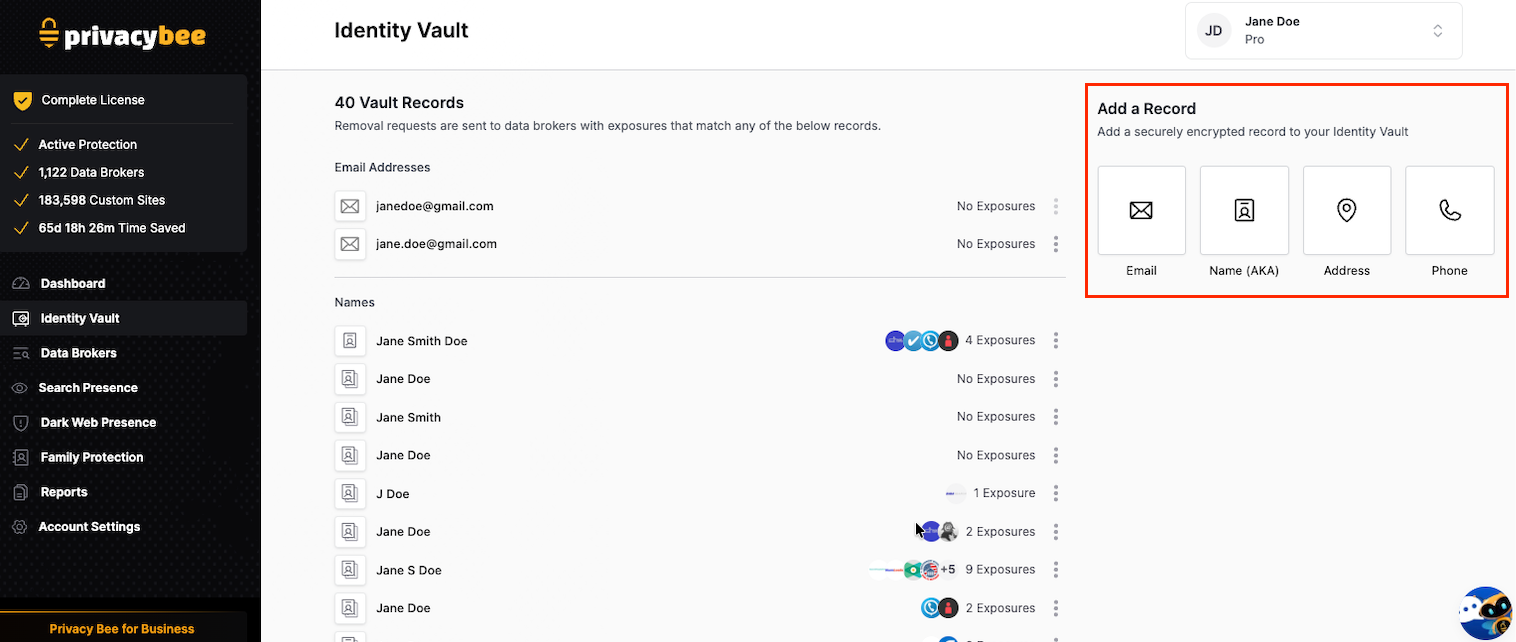
From your left navigation bar, select Identity Vault. Under the Add a Record section, choose the type of information you want to add:
- Email - Verified via one-time code for identity confirmation
- Name (AKA) - Former names, nicknames, or misspelled variations
- Address - Previous residential addresses or city and state
- Phone - Verified via one-time code for identity confirmation
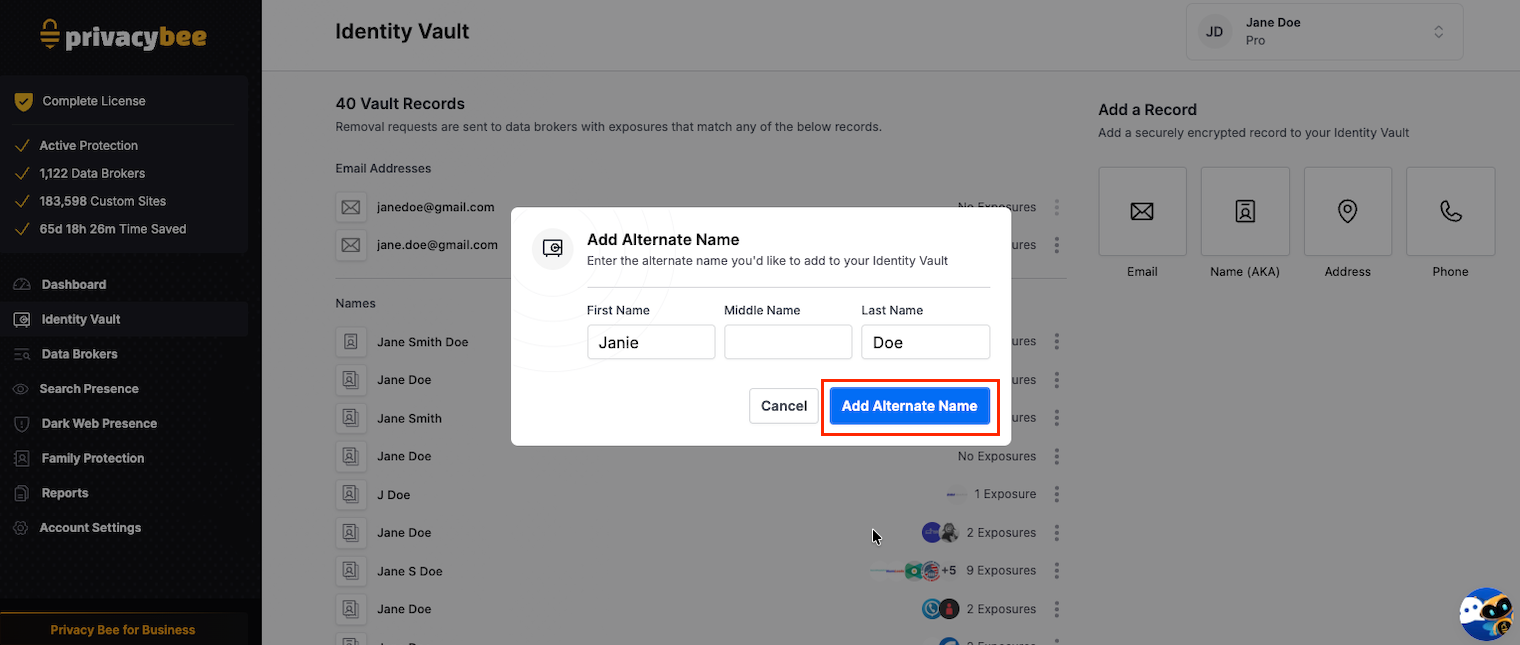
How to Add an AKA Name
- Open your Identity Vault
- Tap the "Name (AKA)" box
- Enter your alternate name
- Tap the bright blue "Add Alternate Name" button
What does “This Is Me” do in Identity Vault?
Sometimes Privacy Bee finds exposures that may belong to you or may be connected to you, such as a relative or someone with similar information.
If you click “This Is Me,” that data point will be added to your account so Privacy Bee can better match and track exposures associated with you.
Important to know
Privacy Bee can only remove exposures that belong to you or to a licensed family member on your account.
If you appear on an exposure as a related person, such as a relative, Privacy Bee may be able to remove that listing on your behalf if it is directly associated with you. However, Privacy Bee cannot remove listings that belong to someone else just because they include your address or mention you indirectly.
Your Information is Safe
Everything stored in your Identity Vault is encrypted and protected in accordance with industry best practices. It is used exclusively to locate and remove your exposures online. We have your back in the fight for privacy and will always be transparent about how your information is being used. We never sell or provide your information to third parties, because that’s exactly what we’re fighting against!
To review how your information is handled, visit: Privacy Bee Privacy Policy