
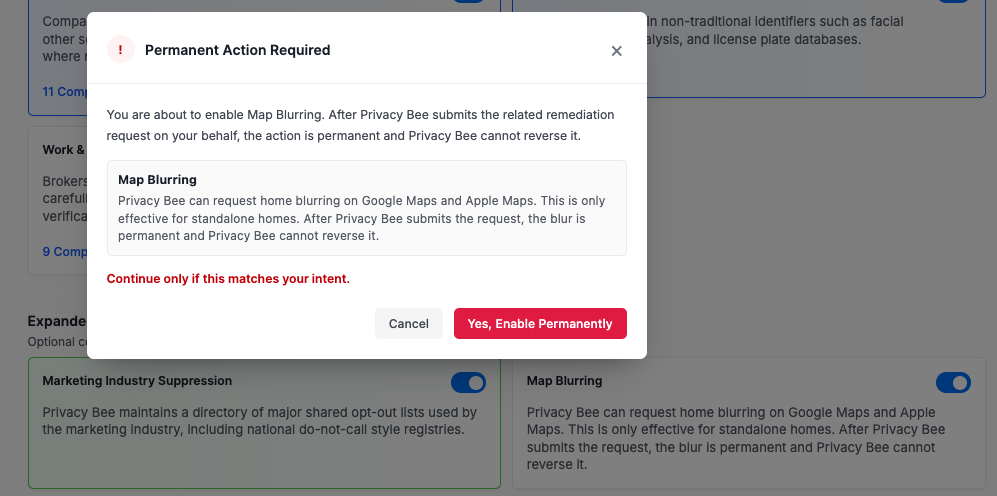
Privacy Bee offers the Blur My House feature to help protect your privacy by blurring images of your home on street-view mapping services such as Google Maps and Apple Maps. Many street-view maps allow anyone to see your home with just an address. This feature helps limit that visibility and gives you greater control over how your property appears online.
How to Enable Blur My House:
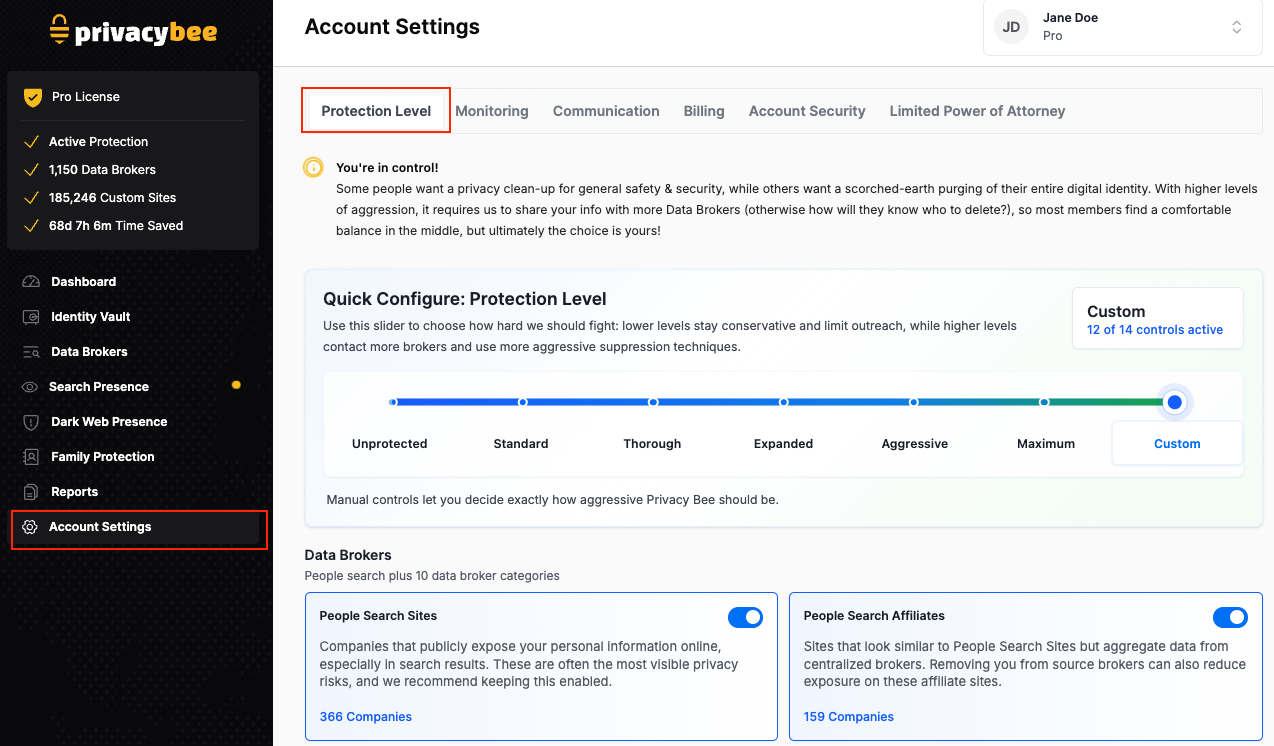
- Go to Account Settings from the left navigation bar
- Select the Protection Level tab
- Scroll to the bottom of the page to the Expanded Protection section.

 -–
-–
Not Ready Yet?
If you’re unsure, you can leave the feature off and return to it later. The option will remain available in your account settings whenever you’re ready.