
Overview:
Updating your payment information is quick and straightforward. This article walks you through adding a new payment method or updating an existing one.
How to Add/Update Your Payment Method
- From your left navigation bar, select Account Settings.
- Click the Billing tab.
- Select Add Payment Method to add a new one.
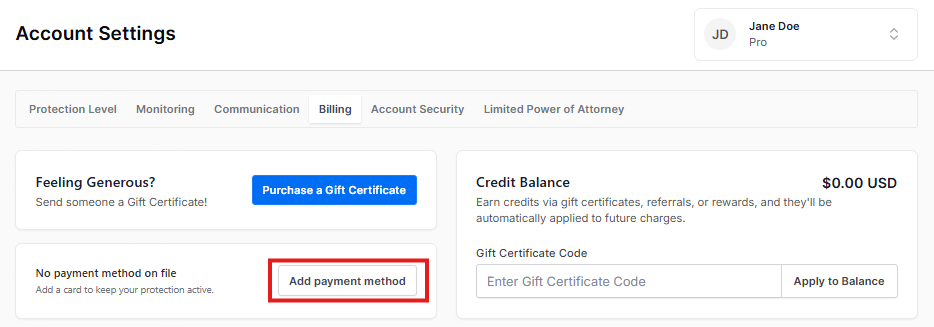 Once the pop-up boxes open, our secure payment page will appear, allowing you to make changes.
 Or tap Manage Payment Methods to add more cards.
- Enter your card details, including cardholder name, card number, expiration date, and CVC.
- Click the blue Add Card button to save your changes.
Your payment information is processed through a secure payment page. Privacy Bee does not store your full card details.
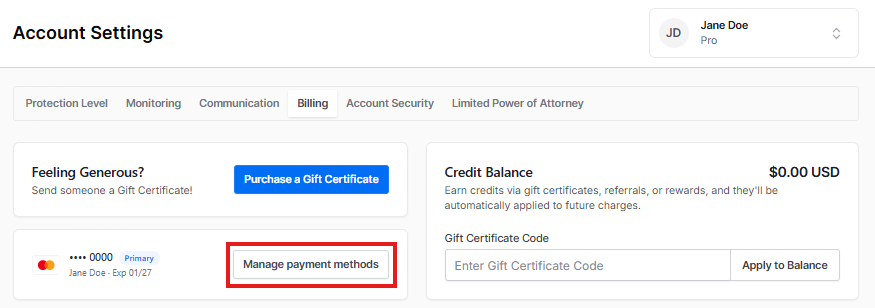 Add payment method:
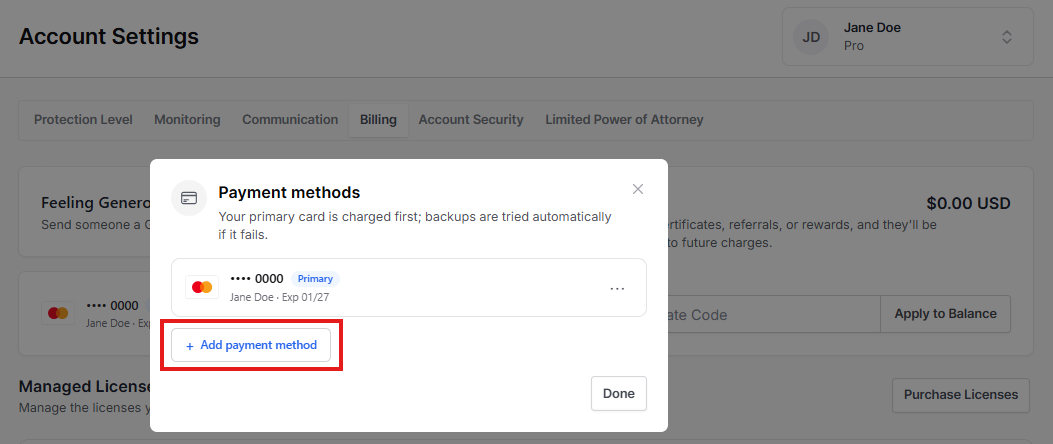 Payment Methods:
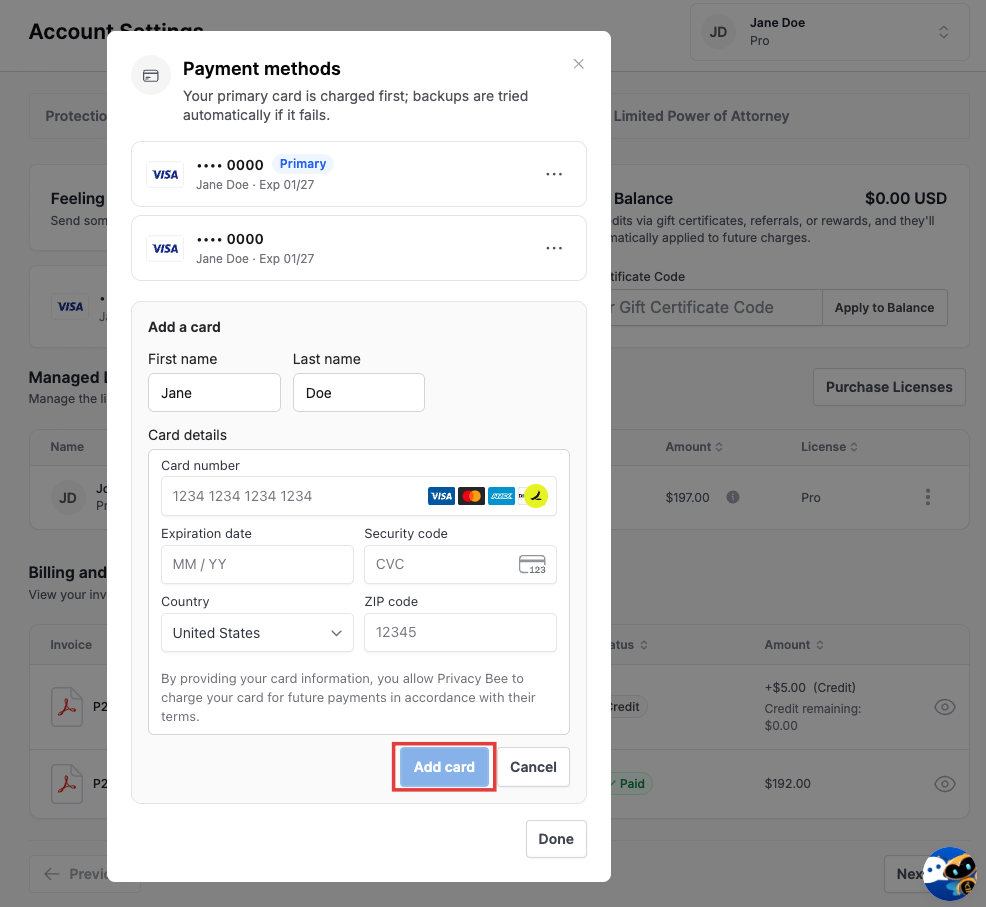 > When you see this pop-up, you must enter your credit card information, including the cardholder name, card number, expiration date, and CVC, then click the blue “Add” or “Update” button. It’s that easy!